Create a Product
Use this flow if you are a developer building with the SDK or shipping product access without Hosted MCP Pay.
This product flow is ideal for:
- SDK-backed MCP server products
- Chat agent access products
- API access and app feature monetization
By default, new products are available for SDK Integration and active in SolvaPay MCP Distribution.
Prerequisites
- SolvaPay provider account
- At least one plan already created (or created during this flow)
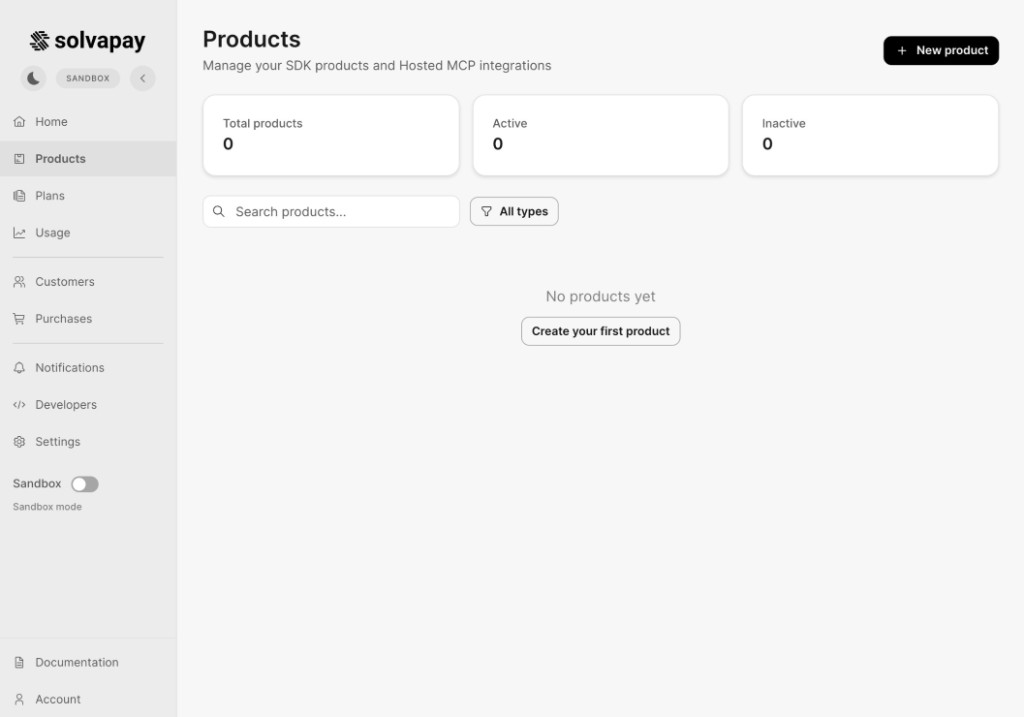
Step 1: Open Products
Go to Products in the provider dashboard and start product creation.
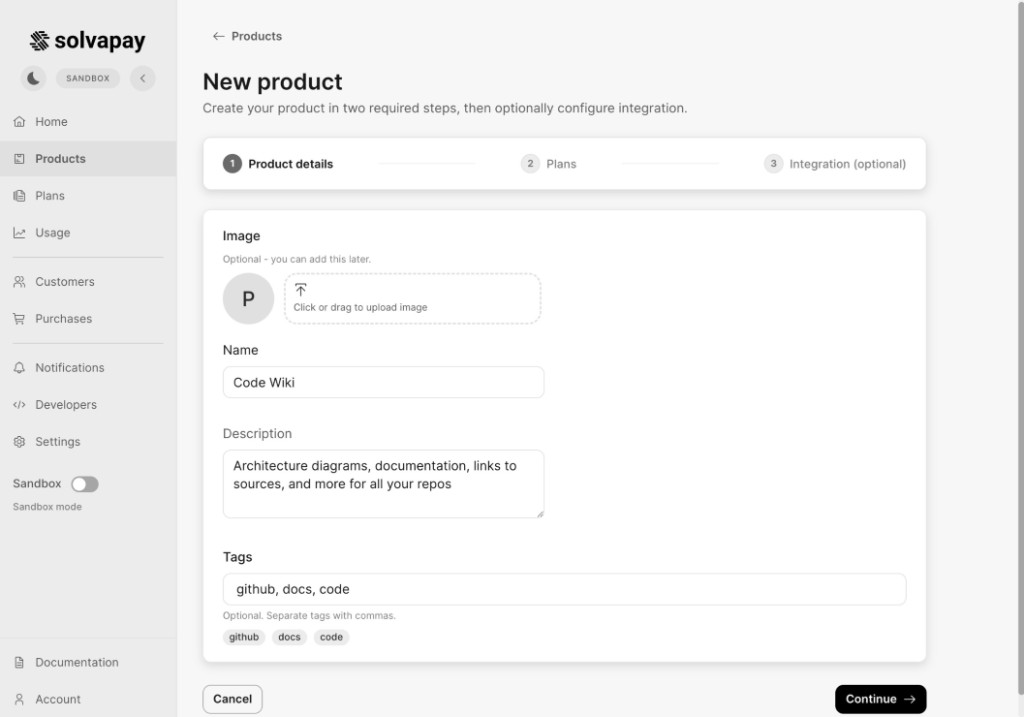
Step 2: Fill Product Details
Enter your product details:
- Name
- Description
- Optional tags and image
Step 3: Select Plans and Create Product
In the Plans step:
- Select one or more existing plans, or create a new plan inline
- Confirm selected plans
- Click Create product
Once created, your product is active and ready for SDK-led integration workflows.
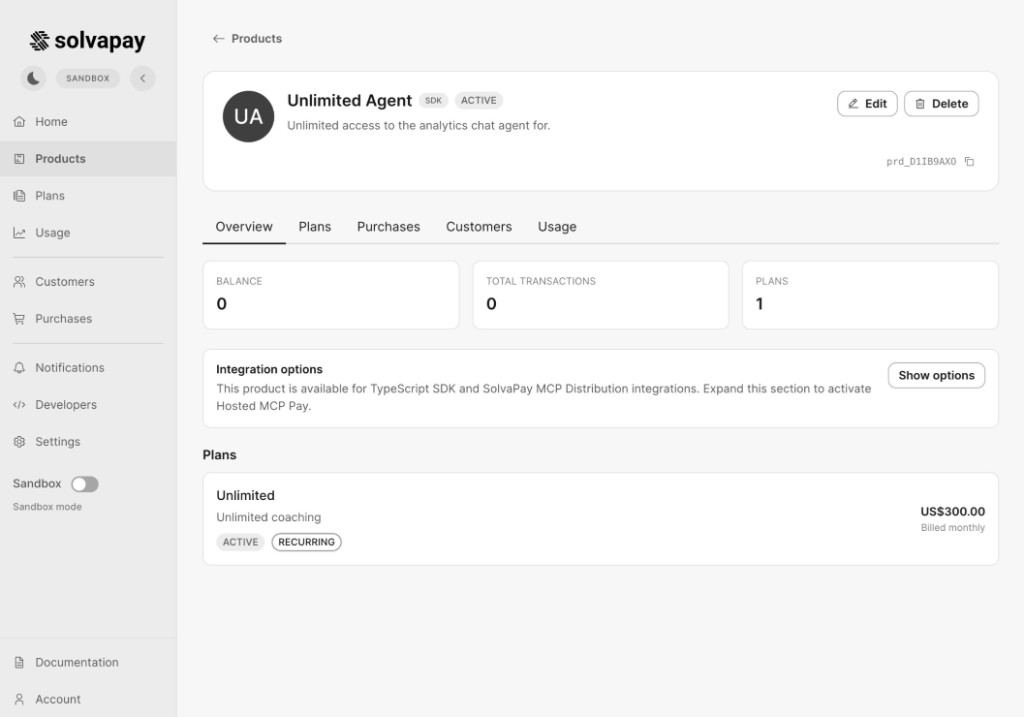
Result: Product Is Ready by Default
On the product details page, you can confirm:
- Product is active
- Plans are attached
- Integration options are available
What to Do Next
- Integrate checkout/access control with the SDK
- Share product access according to your selected plans
- Validate purchases and usage in sandbox before going live